Phosphor Glow & 240p: Why Retro Consoles Look Better on CRTs
Index
If you connect an original Super Nintendo or Sega Mega Drive directly to a modern 4K OLED or LCD TV using composite cables or a cheap HDMI converter, the result is almost universally disappointing: jagged, pixelated checkerboards, smearing motion, washed-out colors, and frustrating controller input lag.
Yet on a 1990s Cathode Ray Tube (CRT) television or a Sony Trinitron PVM, those same games appear vibrant, smooth, textured, and remarkably alive.
Why is there such a massive discrepancy? The answer lies in the physics of electron beams, CRT phosphors, and how game artists originally drew pixel art.
What Actually Is “240p”?⌗
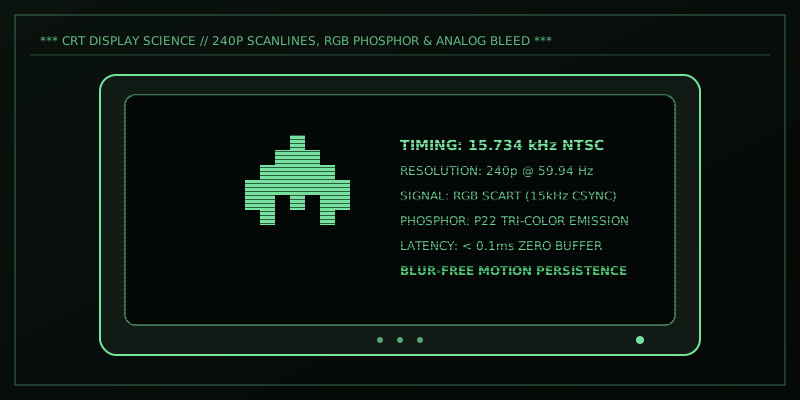
Standard broadcast television in NTSC regions operated at a horizontal scan frequency of 15.734 kHz, drawing 525 interlaced lines per frame at 30 frames per second (or 60 interlaced fields at 60 Hz). Each field contained alternating odd or even scanlines.
Engineers realized a clever hardware hack: by timing the video sync signal slightly differently (specifically omitting the half-line equalizing pulse), they could trick the television into drawing the electron beam across the exact same scanlines every single field.
Instead of 480 interlaced lines, the monitor drew 240 progressive lines at 60 frames per second (240p).
Because the electron gun skipped the alternating field lines, thin, dark horizontal spaces appeared between the illuminated lines. These are what we now affectionately call scanlines.
Phosphor Bloom and Dither Blending⌗
Modern LCD screens are made of rigid, discrete square pixels with sharp edges. CRT monitors, in contrast, have no “pixels” in the modern sense:
- Continuous Electron Beam: The beam sweeps across a glass faceplate coated with phosphor compounds (Zinc Sulfide for blue/green, Yttrium Oxide for red).
- Phosphor Bloom: When electrons strike the phosphor coating, the emitted light naturally radiates and blooms outward. This natural optical softness acts as an organic anti-aliasing filter.
- Dithering & Transparency Magic: pixel artists used optical dithering intentionally. In Sonic the Hedgehog on the Sega Genesis, the famous waterfalls in Green Hill Zone are actually alternating vertical stripes of blue and orange pixels! On an LCD, it looks like a harsh jailbar pattern. On a CRT over composite or RF, the horizontal color bleed blends the stripes into a breathtaking, shimmering translucent water effect.
LCD (Raw Pixel Grid):     CRT (Phosphor Emission):
+---+---+---+---+         ( O ) ( O ) ( O )
| R | G | B | R |          \     / \     /
+---+---+---+---+           [ Blended Light ]
| R | G | B | R |             Organic Glow
+---+---+---+---+         =================== (Scanline Gap)
Motion Clarity & Zero Latency⌗
Beyond visual aesthetics, CRTs possess two massive technological advantages for fast-paced gaming:
1. Zero Input Lag⌗
On an LCD/OLED panel, the incoming analog video signal must be digitized by an internal scaler, buffered in a frame memory chip, de-interlaced, and mapped to the native resolution. This process can add latency!
On an analog CRT, the video signal from the console goes directly to the deflection yoke and electron guns via analog amplifiers. The latency is essentially the speed of light through copper (< 0.1ms). In games that require frame-perfect reflexes like Super Mario World, Punch-Out!!, or Street Fighter II, the difference is night and day.
2. Motion Resolution (Impulse Display)⌗
LCDs are sample-and-hold displays: pixels remain lit and static until the next frame updates, causing human eye tracking motion blur.
CRTs are impulse displays: the phosphor glows brightly for a fraction of a millisecond and then decays rapidly into darkness before the next sweep. Because the image strobes naturally at 60Hz, high-speed scrolling sprites remain razor-sharp with zero ghosting.
Best Video Signals: Ranking Console Connections⌗
To extract the absolute highest fidelity from your retro consoles on a CRT, cable choice matters tremendously:
| Video Format | Type | Quality | Description |
|---|---|---|---|
| RGB SCART / Component | Analog Discrete | ★★★★★ (Reference) | Clean red, green, blue channels with separate CSYNC. Zero cross-color noise. |
| S-Video | Y/C Separated | ★★★★☆ (Great) | Separates Luma (brightness) and Chroma (color). Vastly superior to composite. |
| Composite (RCA Yellow) | Single wire | ★★☆☆☆ (Nostalgic) | Combines luma and chroma; creates dot crawl, rainbow banding, and color bleeding. |
| RF Coaxial | Modulated Radio | ★☆☆☆☆ (Primitive) | Tuned to a predefined TV Channel. Heavy noise, static, and audio buzz. |
Conclusion⌗
Pixel art from the 1980s and 1990s was never designed to be viewed on sharp flat-panel LCDs. The CRT was not merely a display device, it was an active co-creator of the visual medium.
Whether you hunt down an old consumer Sony Trinitron KV series, a high-end broadcast monitor, or run a high-grade CRT shader pipeline like CRT-Royale in modern emulators, experiencing games through the lens of phosphor and scanlines is the only way to truly appreciate their timeless artistry.